MODULE 7 · RECONCILIATION
Review Payouts
Once data has been synchronised or imported, payouts become available on the workspace dashboard for review.
Part 10 - Review Payouts
Dashboard overview
After sync or import, payouts appear with amounts, dates, Match %, status pills, and export badges (CSV / API) when already exported.
| Status | Meaning |
|---|---|
| Full match | Match % at or near 100% - nets look good |
| Strong match | High confidence (≥ ~90%) - still review if needed |
| Needs Review | Exceptions to resolve before a clean export |
| Sync error | Provider sync issue - check Connections / retry sync |
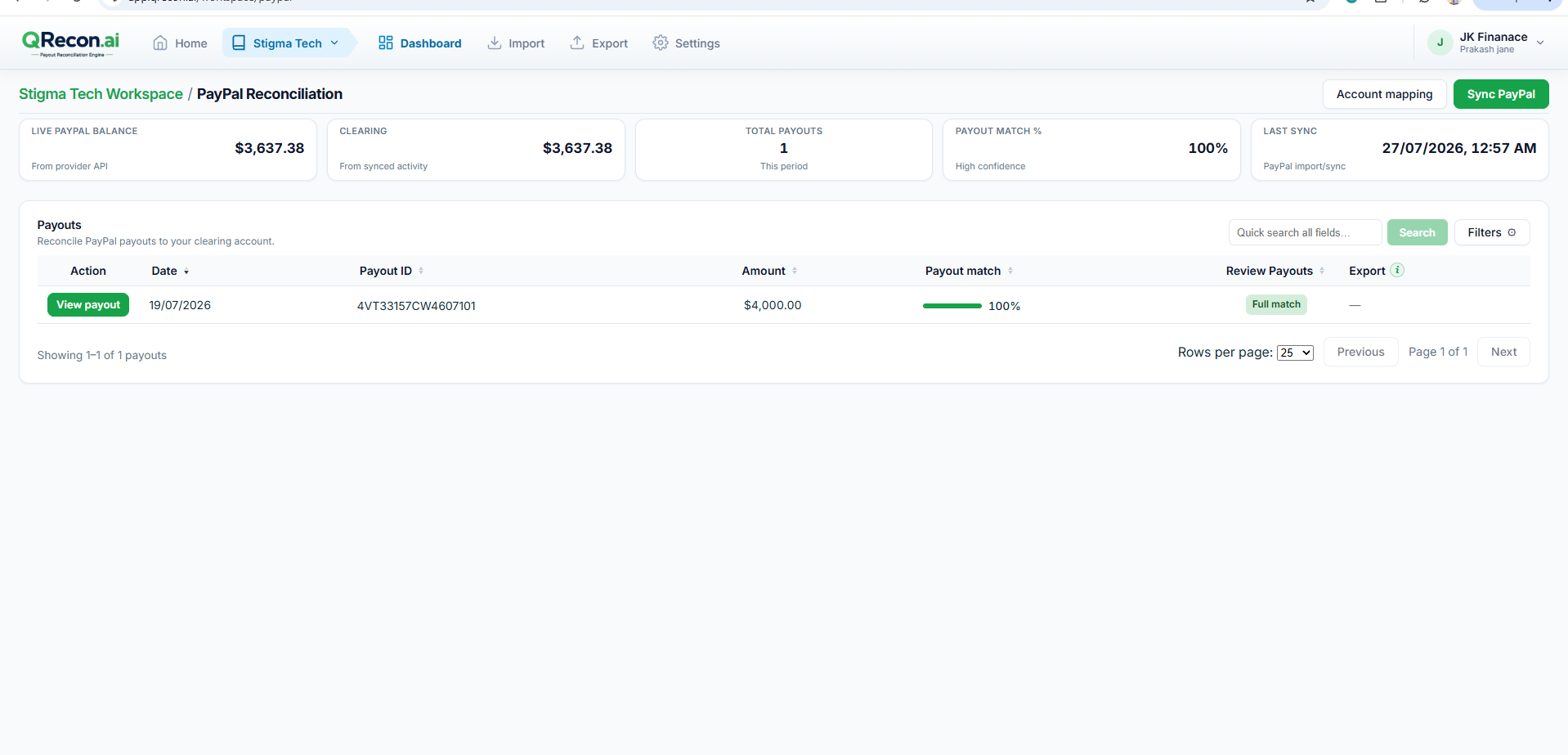
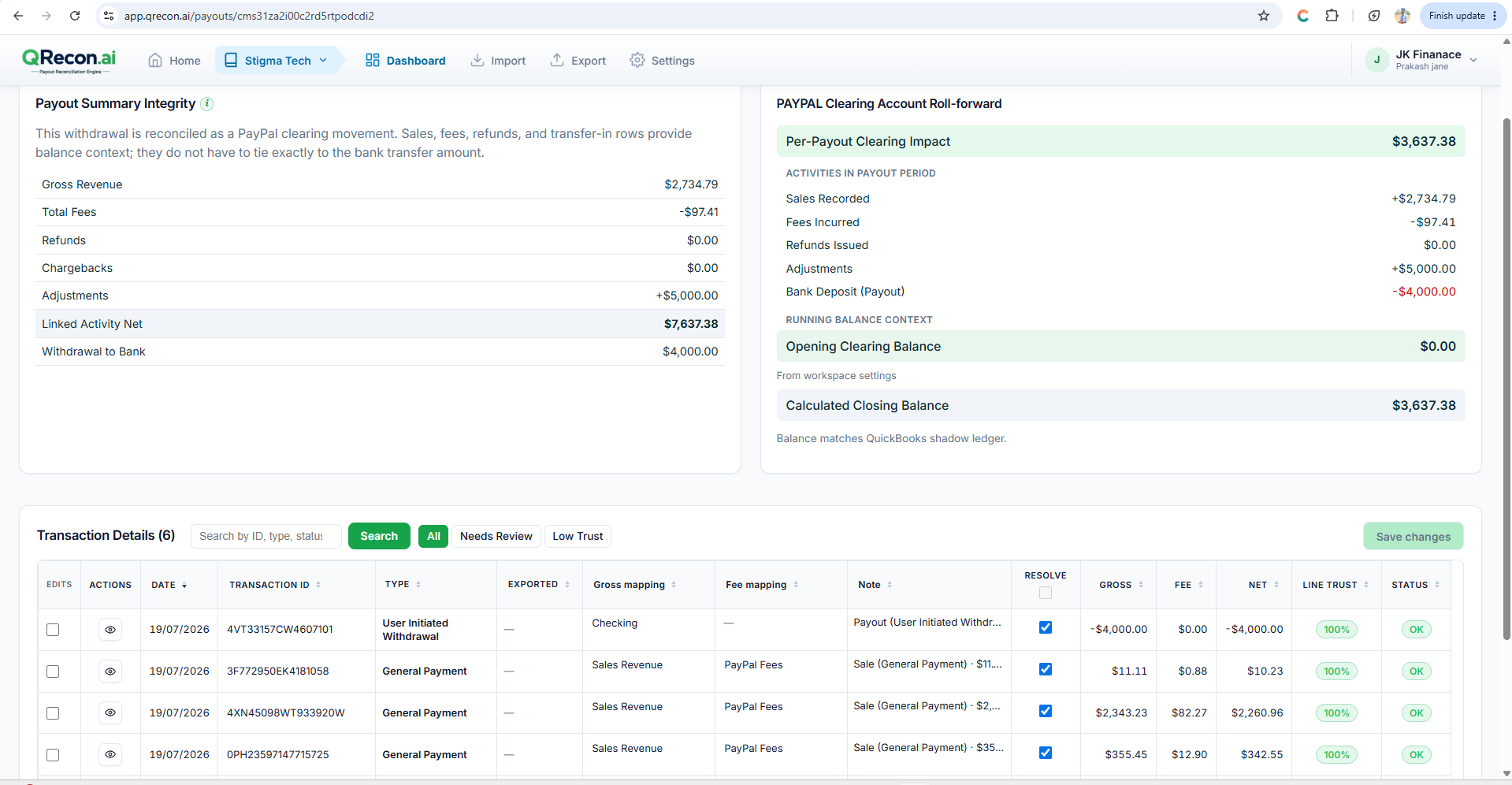
Open any payout to inspect transactions, fees, totals, and clearing roll-forward.
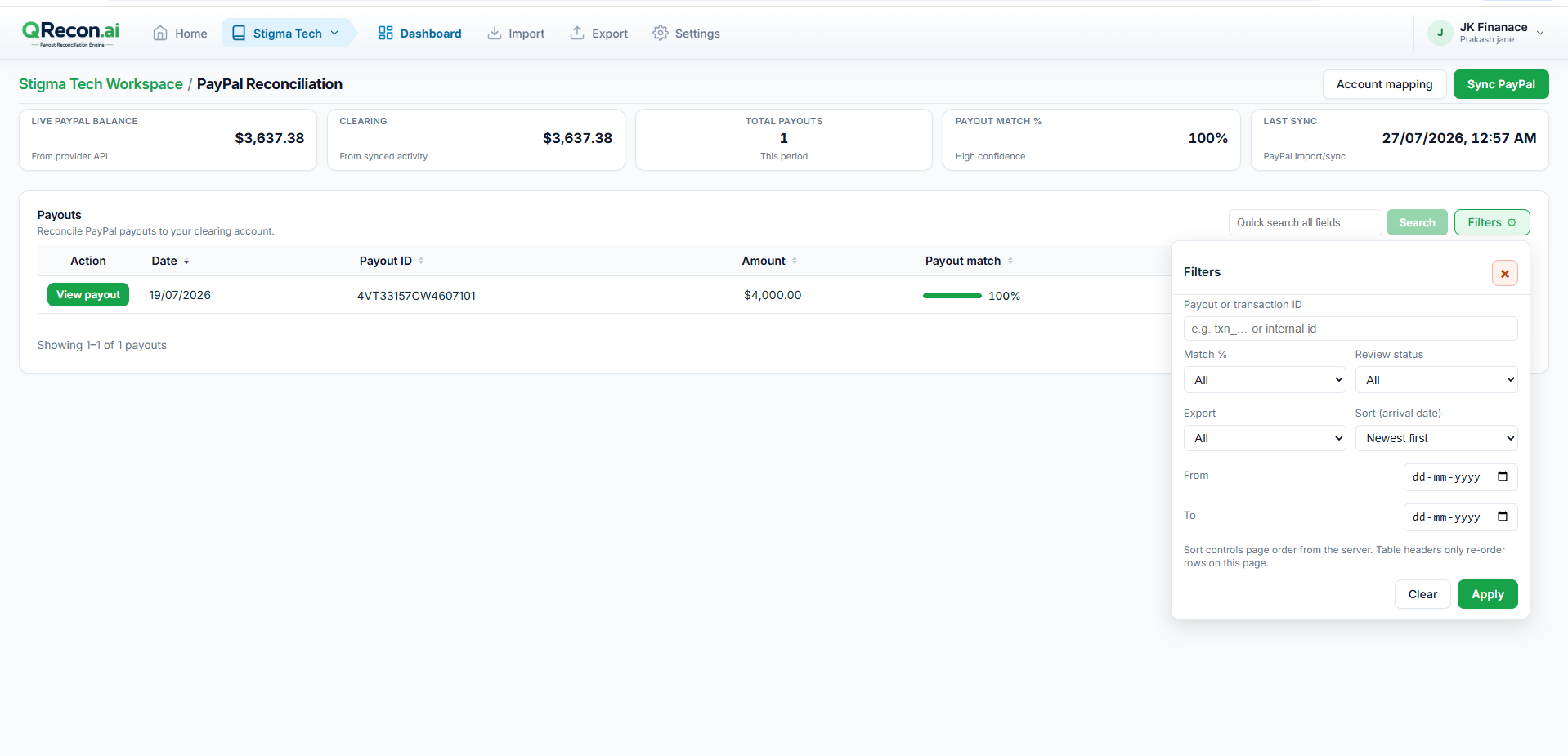
Use filters for match band, status (for example Needs review only), and export status.
Part 11 - Fix Items That Need Review
Resolve exceptions before exporting data to QuickBooks.
11.1 - Needs review queue
- Open Needs review.
- Choose Payout or Transaction level.
- Click Open on an item.
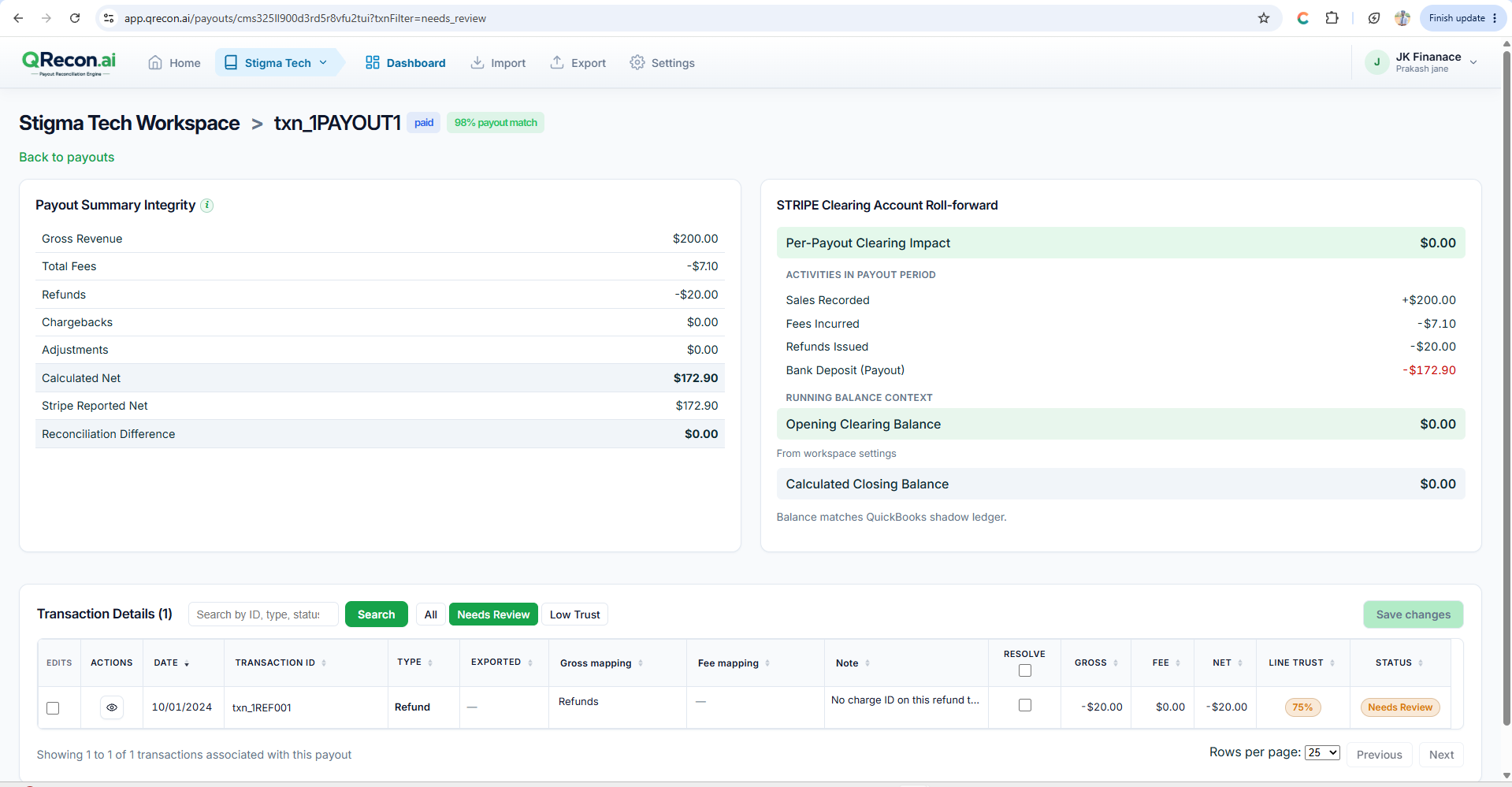
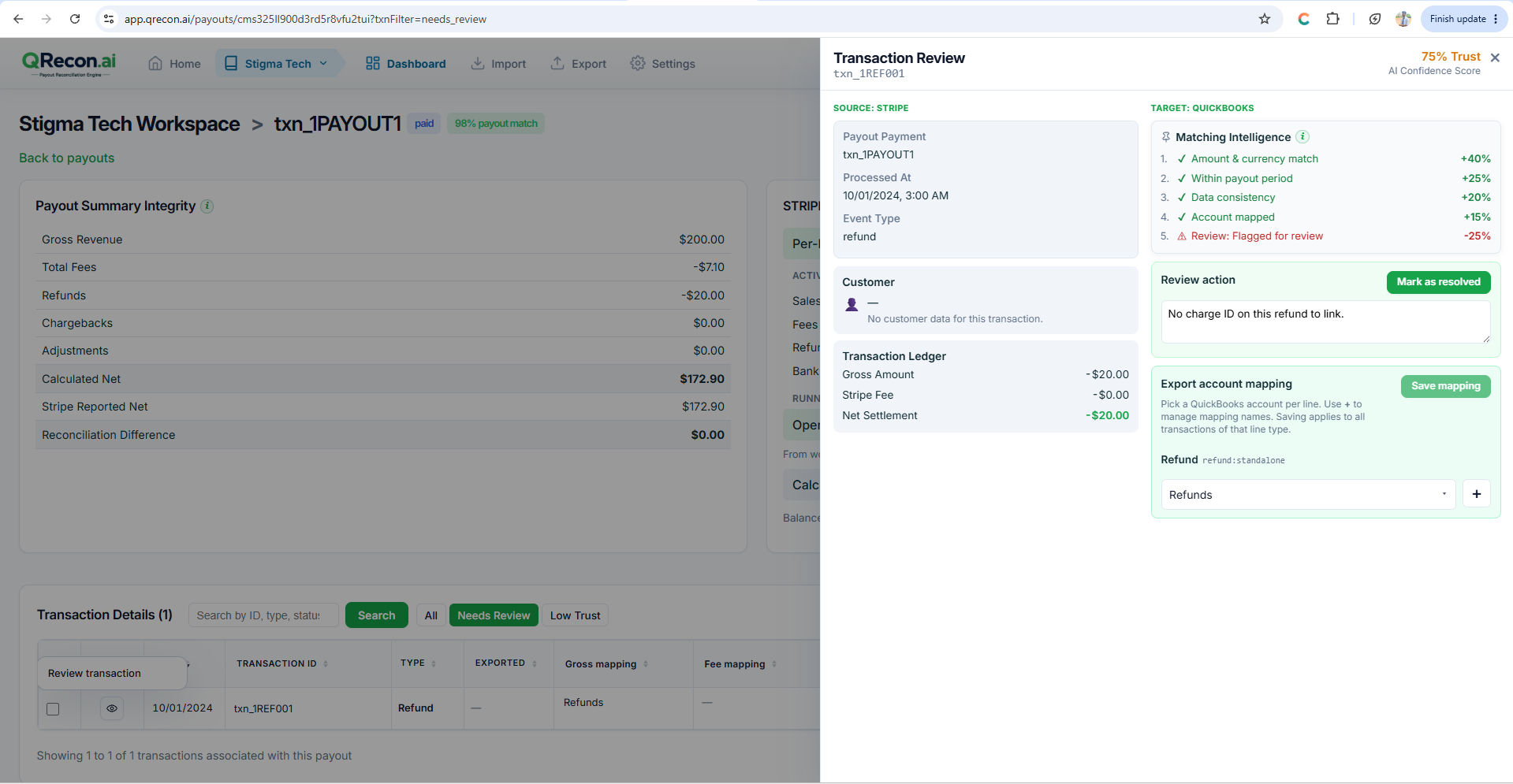
11.2 - Resolve on the payout
- Filter to Needs Review if helpful.
- Open the transaction review: adjust account mapping, add a note, mark resolved.
- Click Save changes.
11.3 - Accept payout variance
If nets do not fully match but the difference is acceptable:
- Review the variance message.
- Click Accept payout variance.
- Confirm Accept variance.
💡
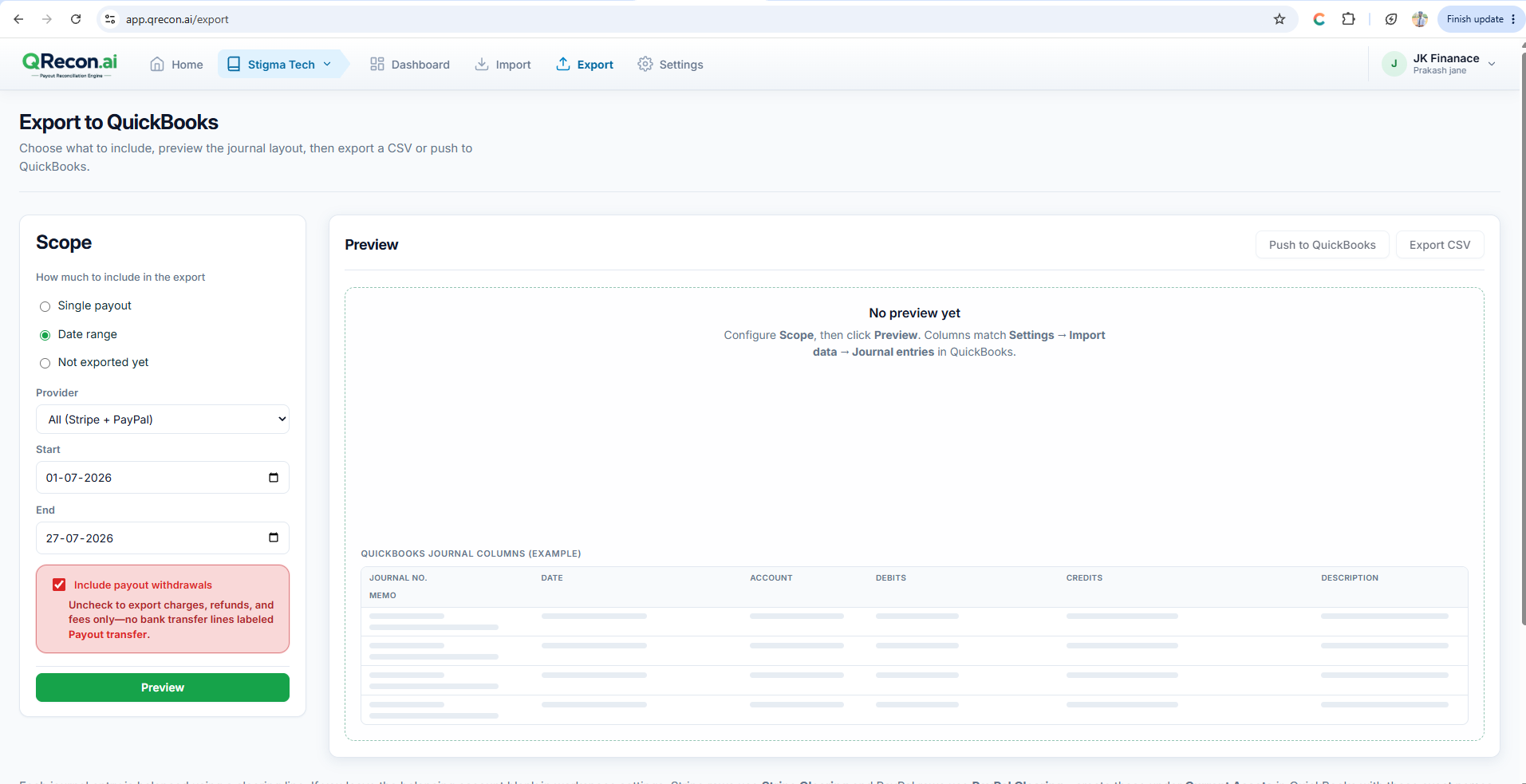
Best practice: Clear Needs Review items and finish account mapping before you export.