MODULE 5 · SETUP
Account Mapping
Tell QRecon which QuickBooks account to use for each transaction type. Mapping is required before a clean export - without it, Preview and Push will block you.
Why mapping matters
Every payout line (sale, fee, refund, dispute, bank transfer, clearing) needs a QuickBooks account name that already exists in your QBO company. QRecon uses these names when it builds journal entries.
⚠️
Use the exact account name as it appears in QuickBooks (spelling and spacing). Create accounts like Stripe Clearing / PayPal Clearing under Current Assets if they do not exist yet.
How to map accounts
- Open the workspace → Settings → Account mapping.
- Choose Stripe or PayPal (map each provider you use).
- For each category, enter the matching QuickBooks account name.
- Use Add mapping if you need an extra row for a transaction type.
- Click Save mapping (or Save changes).
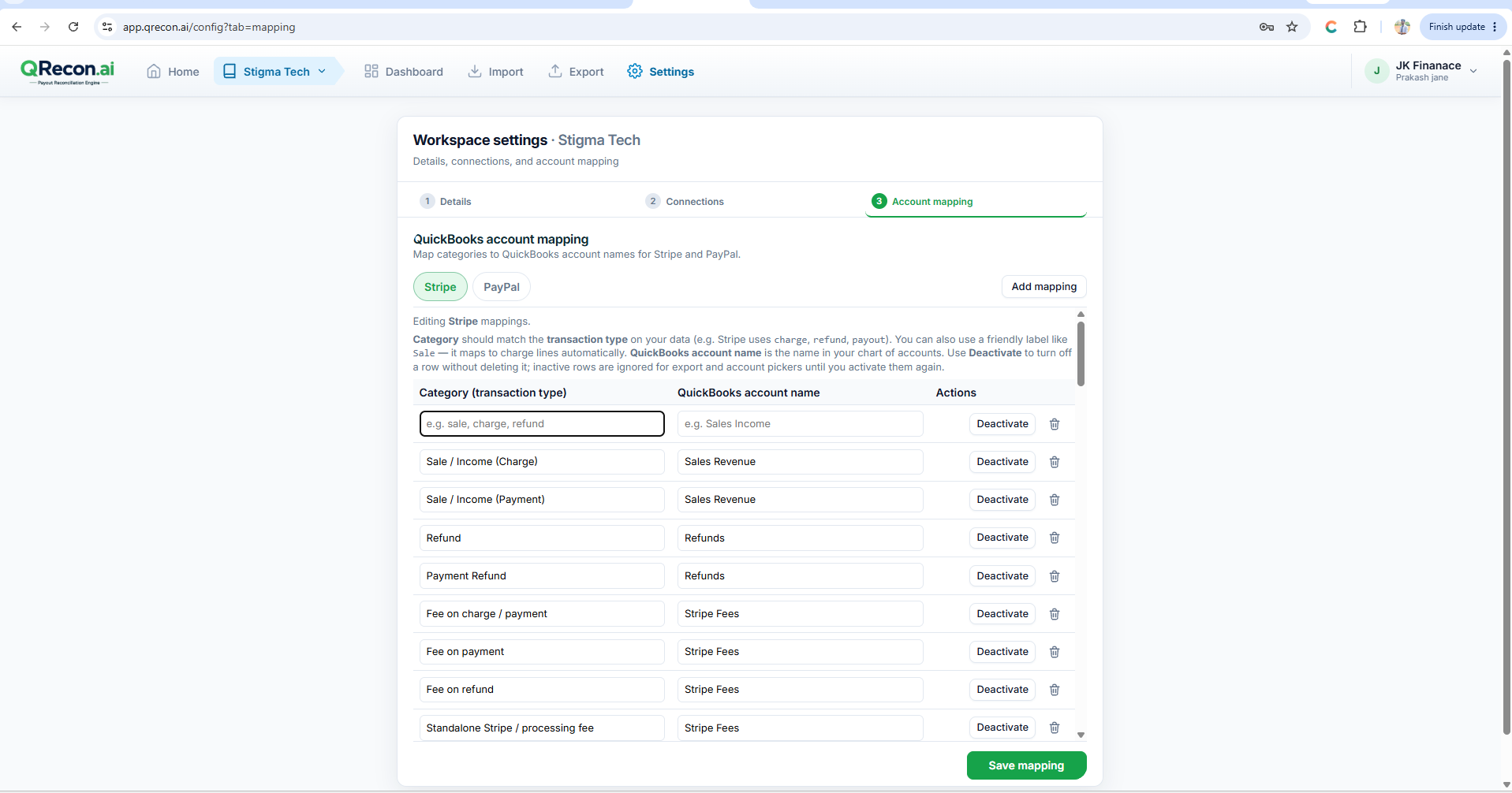
💡
You can also set mapping in the New Workspace wizard (step 3), or skip and finish later - but finish mapping before export.
Common categories
Typical defaults QRecon suggests. Adjust names to match your chart of accounts.
| Category (transaction type) | Typical QuickBooks account |
|---|---|
| Sale / Income (Charge or Payment) | Sales Revenue |
| Refund / Payment Refund | Refunds |
| Fees (on charge, refund, dispute, etc.) | Stripe Fees or PayPal Fees |
| Dispute / Chargeback | Chargebacks |
| Transfer / Payout to bank | Checking (or your bank account) |
| Clearing (Stripe / PayPal) | Stripe Clearing or PayPal Clearing |
| Reserved funds / Adjustment | Clearing or Sales Revenue (as appropriate) |
Before you export
- Map both Stripe and PayPal if the workspace uses both.
- Confirm account names exist in QuickBooks Online.
- Save mapping, then open Export → Preview to confirm there is no “Account mapping required” blocker.